Website Design
Clinic Website Design: A Patient Enquiry Checklist
Review the parts of a clinic website that help patients understand services, assess credibility and request an appointment with confidence.
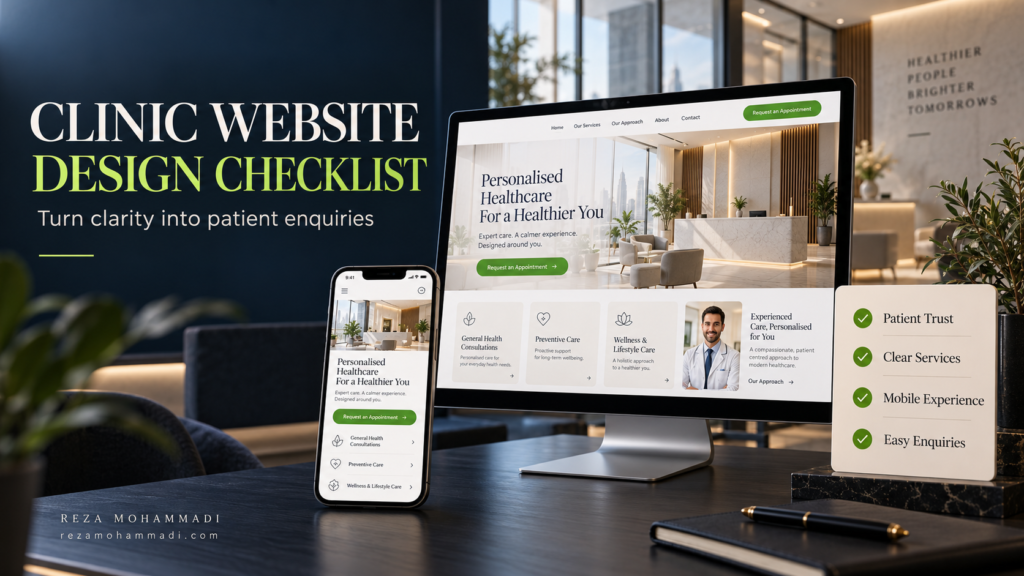
A clinic website should help patients understand your services, assess your credibility and take the next step with confidence. This clinic website design checklist covers the essentials: clear treatment pages, accurate doctor profiles, a usable mobile experience, straightforward appointment requests and reliable follow-up.
A polished homepage is only one part of that journey. Someone visiting a physiotherapy clinic website may want to understand the conditions you treat. Someone considering an aesthetic consultation may look for the practitioner’s background and what to expect at a first visit. Both need a clear way to contact the right team.
Use the checklist below to review an existing clinic website or prepare a brief for a redesign in Dubai.
1. Make the First Screen Useful to a New Patient
Open your homepage on a phone and ask three questions: what kind of clinic is this, where is it, and what can I do next? The answers should be visible without searching through several sections.
Use a specific headline, a short explanation of the services and an accurate location reference. “Physiotherapy and rehabilitation in Dubai Healthcare City” communicates more than a vague promise about transforming lives.
Choose a primary action that matches your process. “Request an appointment” is appropriate when reception needs to confirm availability. “Book an appointment” should lead to a functioning booking system with a clear confirmation process.
- Identify the clinic’s main service and actual location.
- Give the visitor one clear primary action.
- Keep promotional banners and animation from obscuring essential information.
2. Organise Treatment Pages Around Patient Questions
A long services list gives patients names to read, but little help choosing a relevant next step. Group related services logically and give important treatments enough space to be explained.
A useful treatment page can answer:
- What does this service involve?
- What concerns does the clinic assess through this service?
- Who provides the assessment or treatment?
- What happens at the first consultation?
- What should a patient ask before proceeding?
- How can they request an appointment?
Have an appropriate clinician review medical descriptions. Explain suitability, limitations and relevant risks accurately; avoid presenting a treatment as appropriate for everyone or promising a particular outcome.
In my Physiocare website redesign project, the published case study describes organising information around treatments, conditions, location and appointment actions. It is an example of structuring a clinic website around patient needs, rather than simply changing its appearance.
3. Give Patients Evidence They Can Evaluate
Accurate Doctor and Practitioner Profiles
Use current photographs, correct professional titles, relevant qualifications and a clear explanation of each practitioner’s role. Include languages spoken and the services they provide where useful. Keep profiles updated when your team changes.
Distinguish verified credentials from marketing language. Statements such as “the best” or “guaranteed results” do not replace specific, supportable information about the provider.
Real Clinic Information and Visuals
Show the actual reception, consultation spaces and relevant equipment where appropriate. Real photography helps visitors understand the place they are considering visiting. If stock imagery is used, avoid presenting a model as a member of your clinical team.
Keep the address, opening hours, contact details and directions consistent across the website. Add practical information such as the building, floor and parking guidance if it helps a first-time visitor.
Genuine Testimonials and Responsible Claims
Use authentic testimonials with permission where appropriate. Patient images, before-and-after content and promotional claims need review against the permissions and requirements that apply to the clinic and campaign. A website checklist cannot replace that review.
4. Test the Whole Journey on a Phone
A desktop layout shrinking to fit a smaller screen is not enough. Test whether a patient can find a treatment, read the information, open the form and contact reception without friction.
- Check menus, language selectors and contact buttons.
- Make body text readable without zooming.
- Keep floating WhatsApp buttons from covering form controls.
- Avoid pop-ups that interrupt reading or hide the booking action.
- Check the form while the on-screen keyboard is open.
Also review loading, responsiveness and layout movement. Google’s Core Web Vitals guidance measures these through LCP, INP and CLS. Use real-user data where available and diagnostic tools to investigate problems; a single performance score does not describe the entire patient experience.
5. Make Appointment Requests Easy to Complete
Ask for the information reception needs to respond to an initial enquiry. That might include a name, contact method and a broad service preference. Avoid making a detailed medical history compulsory in a general marketing form.
Label every field clearly, explain required inputs and show useful error messages. The W3C guidance on form labels recommends associating labels with their controls so people, including those using assistive technology, can understand them.
After submission, tell patients what happened and what to expect next. Only display a success message after the form has actually been accepted. If an appointment still needs confirmation, say so.
Keep WhatsApp and Phone Contact Practical
Test that call links open the correct number and WhatsApp links reach the intended clinic account. Use a neutral prefilled message such as “Hello, I would like to ask about an appointment.” Avoid inserting medical details into URLs or analytics parameters.
State monitored contact hours and any response expectation the team can reliably meet. Give reception responsibility for checking website enquiries and identifying missed submissions.
6. Explain What Happens After the Enquiry
Patients may hesitate when they do not know whether they are requesting a callback, paying a fee or confirming a booking. Explain the next step beside the action, especially when using an external appointment platform.
If you mention insurance, pricing or offers, clarify the scope and how patients can confirm eligibility or the applicable fee. Assign someone to keep this information current.
Privacy information should be accessible near forms. Define how information is handled, who receives it and which approved systems are suitable for sensitive information. Do not send names, contact details or medical information to general analytics tools.
7. Give Important Services a Clear Search Structure
Patients arriving from Google may enter through a treatment page rather than the homepage. Each important page should explain its subject, identify the provider and offer a relevant next action.
Use descriptive titles, logical headings and useful internal links. Connect a treatment page to the relevant practitioner, related services and clinic contact information where it helps the reader. Avoid creating near-identical pages for every Dubai neighbourhood.
Google’s SEO Starter Guide explains the value of clear content and navigation. These foundations support discovery and understanding; they do not guarantee a particular ranking or number of appointments.
For multilingual websites, make sure treatment details, forms and confirmation messages work in each supported language. Arabic layouts should be reviewed in their own right, including text direction and navigation.
8. Measure Enquiries Through to Their Outcome
Measure the steps separately: a contact-button click, a successfully submitted form, a real conversation, a qualified enquiry and a confirmed appointment. Combining them under one “leads” total can hide where patients drop off.
Use website analytics for appropriate interaction data and an approved reception or CRM process for enquiry outcomes. Test that events do not fire repeatedly or count failed submissions as successful enquiries.
Review the website and reception process together. A form can work technically while messages remain unanswered in an inbox.
A Practical Clinic Website Checklist Before Launch
Mark each item as passed, needs work or not applicable. A broken form or incorrect phone number should take priority over decorative changes.
| Check | Evidence to look for | Suggested reviewer |
|---|---|---|
| First-screen clarity | Service, location and next action are understandable. | Clinic manager |
| Treatment content | Accurate explanations and appropriate clinical review. | Clinical reviewer |
| Practitioner profiles | Current roles, credentials, photos and service links. | Clinic manager |
| Mobile usability | Menus, forms and contact buttons work on real phones. | Designer and reception |
| Form delivery | A test enquiry reaches the right person and is acknowledged. | Developer and reception |
| Contact details | Correct phone, WhatsApp, address, hours and directions. | Reception |
| Search readiness | Clear page titles, internal links and no unintended indexing blocks. | SEO specialist |
| Measurement | Successful actions are recorded accurately without sensitive data. | Analytics specialist |
| Ownership | Named people maintain content, enquiries and technical updates. | Clinic manager |
Frequently Asked Questions
What Pages Should a Clinic Website Include?
A practical starting point is a homepage, clinic information, practitioner profiles, core service pages and contact or appointment information. Add location pages for genuine branches and further content when it answers distinct patient questions.
Does a Clinic Need Online Booking or an Enquiry Form?
Choose the approach your team can support. Online booking suits a workflow with dependable availability and confirmation. An enquiry form can work when reception needs to confirm the service, practitioner or appointment time.
Will a Website Redesign Increase Patient Bookings?
It can improve clarity and remove obstacles, but bookings also depend on relevant traffic, service demand, trust and follow-up. Define a baseline and measure outcomes rather than assuming a new design will produce a specific increase.
Should Every Treatment Have Its Own Page?
Create a separate page when the service has a distinct purpose and enough useful information. Closely related options may fit better on one comprehensive page. Avoid splitting content into repetitive pages just to target similar keywords.
What Should We Fix First on an Existing Clinic Website?
Start with incorrect information, broken contact paths and failed form delivery. Next address mobile usability, service clarity and missing trust information. Use evidence from patient questions and enquiry handling to prioritise further improvements.